A maintenance technician shuts down a conveyor belt for repair. He places a generic lockout tagout form PDF on the equipment—printed from a website, not filled with specific machine details. Ten minutes later, another worker sees the lock, assumes it's routine, and removes it. The conveyor activates. The technician suffers a crushed hand.
This isn’t fiction. It happens because lockout tagout forms—especially when treated as disposable PDFs—become compliance theater instead of real protection.
A lockout tagout forms PDF should never be just a checkbox. It’s a critical control document that bridges procedure, people, and machinery. When poorly designed or misused, it creates a dangerous illusion of safety. When done right, it prevents 120+ fatalities and nearly 50,000 injuries annually—according to OSHA estimates.
This guide cuts through the noise. We’ll cover what makes a PDF LOTO form effective, where most templates fall short, and how to deploy forms that actually enforce accountability.
What a Lockout Tagout Forms PDF Should Actually Do
A lockout tagout (LOTO) form is more than a piece of paper. In digital PDF form, it’s a standardized record ensuring that machines are safely de-energized before service. But not all PDFs are equal.
An effective LOTO forms PDF must:
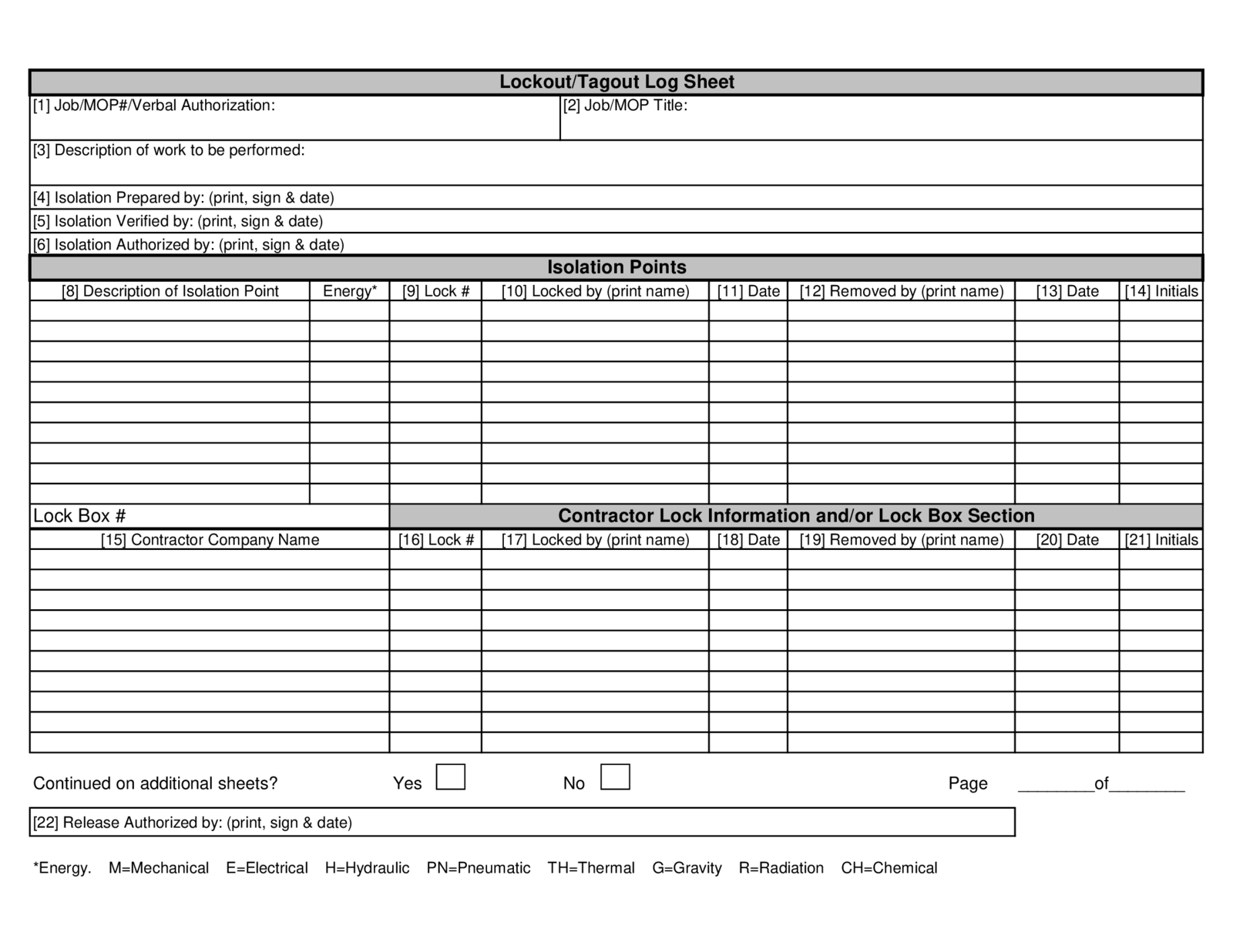
- Identify the equipment precisely (not “Machine #3” but “Hydraulic Press Model HP-2200, Line B”)
- List all energy sources (electrical, pneumatic, hydraulic, gravity, chemical)
- Name the authorized employee performing lockout
- Include space for verification (e.g., “Tested for zero energy: Yes/No”)
- Support multi-person or multi-shift scenarios with clear handover fields
Without these, a PDF is just decorative compliance.
Example: A manufacturing plant used a generic free LOTO PDF downloaded online. During an audit, OSHA flagged that the form lacked energy-specific isolation points. Result: $12,000 fine and mandatory retraining. The form looked official—but failed functionally.
Common Mistakes with LOTO Forms PDFs (And How to Fix Them)
Even organizations with PDF forms in place often undermine their own safety. Here are the five most common failures:
1. Using Generic Templates Without Customization
Many sites offer “free lockout tagout forms PDF” downloads. But these are often one-size-fits-all. A form designed for a forklift won’t work for a boiler system.
Fix: Adapt any downloaded PDF to your machinery. Add model numbers, lock locations, and energy types unique to your operations.
2. Ignoring Multi-Employee Lockout Scenarios A PDF form that only allows one lock owner fails when three technicians work on the same machine.
Fix: Include a lock log table on the form: - Employee name - Lock ID - Time applied - Reason for lock
This enables coordination and handoff tracking.
3. No Integration with Verification Steps A form that ends at “Lock applied” skips the most critical step: testing for zero energy.
Fix: Add a verification checklist: - [ ] Voltage tester used on circuit - [ ] Pressure gauge reads zero - [ ] Gravity components secured - [ ] Verified by: _______ (signature)
4. PDFs Not Accessible During Shutdown If the form is buried in a shared drive, workers won’t use it.
Fix: Print and laminate master copies near equipment, or use a digital LOTO app that syncs with PDF outputs.
5. No Training Linkage Filling a form without training creates blind spots.
Fix: Require technicians to attach a training date or ID number on the form.
Key Elements of a High-Performance LOTO Forms PDF
A compliant, practical lockout tagout forms PDF doesn’t need to be complex—but it must be thorough. Use this framework:
Header Section
- Company name and site
- Date and shift
- Equipment ID and location
Energy Control Plan Summary
- Type of energy (electrical, hydraulic, etc.)
- Isolation points (valve numbers, circuit breakers)
- Lock application points
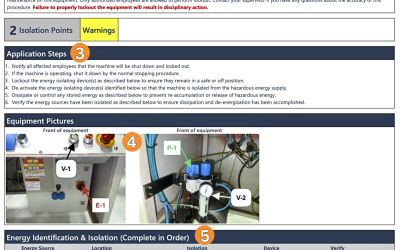
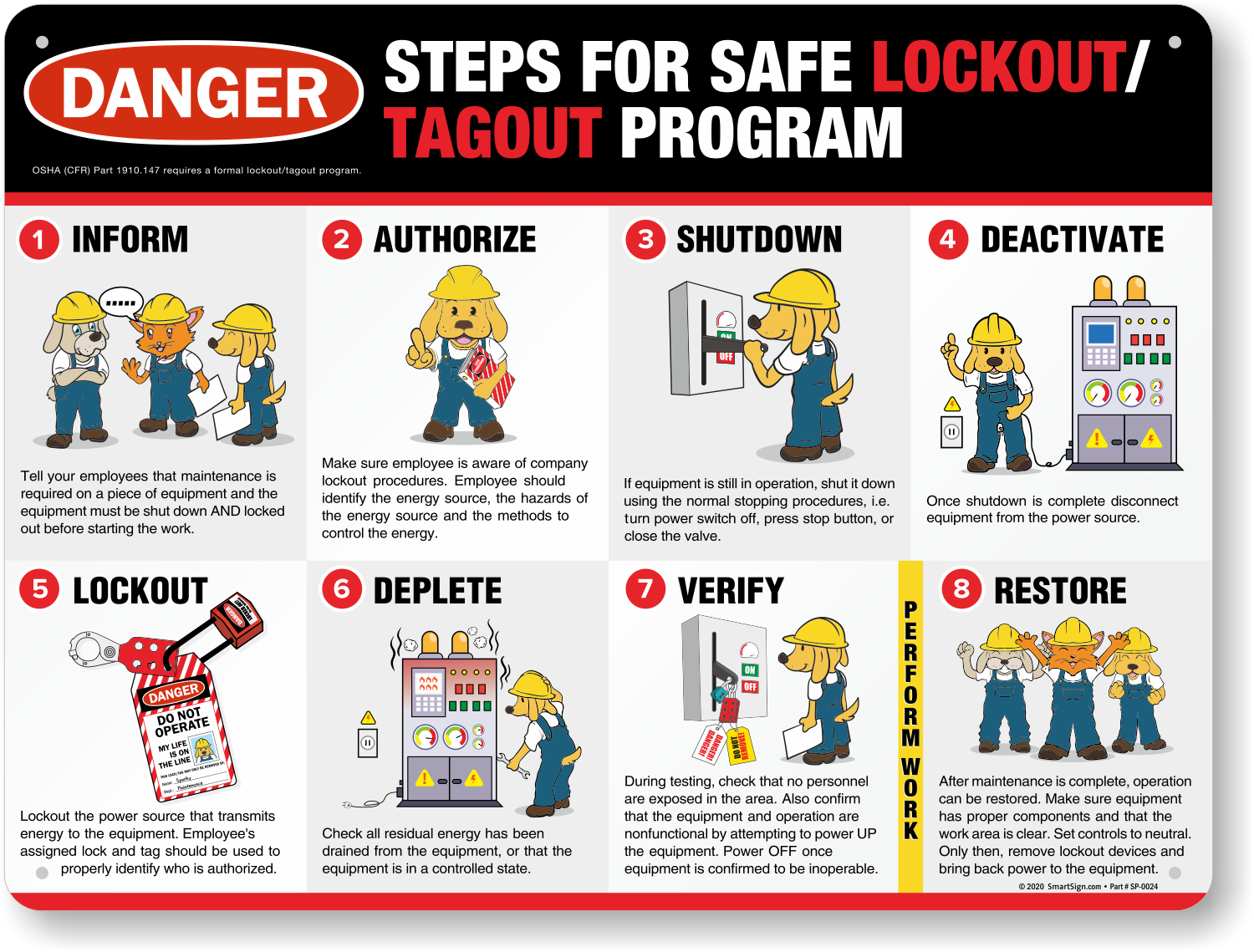
Lockout Procedure Steps Sequential steps, such as:
- Shut down equipment using normal controls
- Isolate energy source at disconnect
- Apply personal lock and tag
- Release stored energy (bleed lines, block components)
- Verify zero energy state
Personnel Section
- Authorized employee name and contact
- Backup or supervisor notified
- Number of locks applied
Verification & Release
- “Tested and confirmed de-energized” signature
- Clearance checklist
- Unlock and restart authorization
Optional but Recommended
- QR code linking to full LOTO procedure
- PPE required for the task
- Confined space or hot work notes (if applicable)
Where to Find Reliable Lockout Tagout Forms PDF Templates
Not all free PDFs are junk—but you need to know where to look.
Trusted Sources for LOTO Forms PDFs
| Source | Best For | Notes |
|---|---|---|
| OSHA.gov | Regulatory alignment | Official examples, minimal customization |
| National Safety Council (NSC) | Training integration | Often bundled with training materials |
| Grainger & RS Safety | Industry-specific forms | Includes forms for electrical, chemical, pneumatic systems |
| Industry Specific Associations (e.g., SMRP) | Custom workflows | Plant-level detail, editable PDFs |
| EHS Platforms (e.g., VelocityEHS, Cority) | Digital + PDF output | Cloud-based with audit trails |
Pro Tip: Always convert downloaded PDFs into editable formats (e.g., Adobe Fill & Sign) so teams can complete them digitally or by hand.
5 Free Lockout Tagout Forms PDF Options You Can Use Today
Here are five credible, downloadable templates—each designed for specific use cases.
- OSHA Lockout/Tagout Control Form (General Industry)
- - Clean, minimal design
- - Covers equipment, energy sources, employee info
- - Ideal for small businesses
- - Where to get it: osha.gov/publications/lockout-tagout-fact-sheet.pdf
- EPA-Style LOTO Form with Multi-Energy Tracking
- - Separates electrical, mechanical, and chemical isolation
- - Includes “residual energy release” section
- - Best for labs and processing plants

- Multi-Craft Lockout Tagout PDF (for Team Lockouts)
- - Includes group lockbox diagram
- - Lock log with timestamps
- - Used in automotive and heavy manufacturing
- Facility-Specific LOTO Template (Editable PDF)
- - Pre-labeled fields for equipment IDs
- - Space for supervisor sign-off
- - Allows logo and site customization
- Hot Work & LOTO Combined Form
- - Integrates fire risk assessment
- - Dual verification for energy and ignition sources
- - Critical for welding or grinding tasks
Warning: Never use a PDF without validating it against your own machinery and OSHA 29 CFR 1910.147.
How to Turn a Static PDF into a Living Safety Tool
A PDF isn’t useful if it sits in a folder. Make it operational with these steps:
1. Map Forms to Specific Machines Create one PDF form per equipment type. A CNC mill needs a different form than a compressor.
2. Train on the Form, Not Just the Procedure During LOTO training, walk through the actual PDF. Show how to fill each field, who signs off, and how long records are kept.
3. Audit Completed Forms Monthly Pull random PDFs (digital or printed) and check: - Are all fields completed? - Is verification documented? - Are locks matched to employees?
4. Digitize for Accountability Use tools like:
- Adobe Acrobat with form tracking
- Google Workspace with PDF attachments in logs
- EHS software that generates compliant PDFs automatically
5. Retire Outdated PDFs Aggressively If a machine is upgraded, the old LOTO form becomes a hazard. Archive it and issue a new one.
Real-World Use Case: How a Brewery Prevented Disaster
A mid-sized craft brewery had a near-miss when a technician began cleaning a fermentation tank. The LOTO form PDF used only required a single lock and no verification.
After an internal review: - They redesigned the PDF to include three isolation points (CO2 line, agitator motor, glycol chiller) - Added a witness verification field before entry - Required digital submission of completed PDFs to the safety manager
Six months later, a worker noticed CO2 pressure hadn’t been bled. The form’s verification step caught it. Incident avoided.
The lesson? A better PDF didn’t just improve compliance—it changed behavior.
Final Takeaway: Your LOTO Forms PDF Should Be a Safety Partner
A lockout tagout forms PDF is not paperwork. It’s a communication tool, a legal record, and a last line of defense.
Don’t download the first “free LOTO PDF” you find. Adapt, verify, and integrate it into daily operations. Pair it with training, audits, and real accountability.
Action Step: This week, pull one of your current LOTO PDFs. Audit it against the five key elements above. If it’s missing verification, multi-employee fields, or energy specifics—revise it. A 20-minute edit could prevent a lifetime of regret.
Safety isn’t about perfect forms. It’s about functional ones. Make yours count.
FAQ
What should you look for in Lockout Tagout Forms PDF: Free Templates & Best Practices? Focus on relevance, practical value, and how well the solution matches real user intent.
Is Lockout Tagout Forms PDF: Free Templates & Best Practices suitable for beginners? That depends on the workflow, but a clear step-by-step approach usually makes it easier to start.
How do you compare options around Lockout Tagout Forms PDF: Free Templates & Best Practices? Compare features, trust signals, limitations, pricing, and ease of implementation.
What mistakes should you avoid? Avoid generic choices, weak validation, and decisions based only on marketing claims.
What is the next best step? Shortlist the most relevant options, validate them quickly, and refine from real-world results.